


A New Step Toward Connected Driving
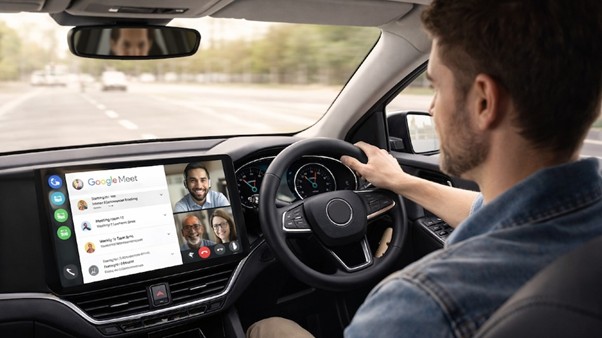
In a major tech update, Google Meet is now available on Apple CarPlay, allowing users to attend office meetings directly from their car dashboards. This move reflects how technology is transforming vehicles into smart, connected workspaces. With this feature, users can stay productive even while traveling.
What This Update Means for Users
With the latest update, iPhone users can now access Google Meet through Apple CarPlay. This allows them to join scheduled meetings with just a single tap. The app also displays upcoming meetings on the car’s screen, making it easier to manage schedules on the go.
This integration ensures a smooth transition between mobile devices and car systems. Users no longer need to rely solely on their phones—they can now use their car’s interface for a more convenient experience.
Audio-Only Meetings for Safety
To ensure driver safety, Google has limited the functionality of Meet on CarPlay. The meetings are available in audio-only mode, meaning video streaming is disabled while driving. This helps drivers stay focused on the road while still being part of important discussions.
Additionally, several interactive features have been restricted. Users will not be able to:
- Raise hands
- Participate in Q&A sessions
- Respond to polls
- Create new meetings
- Manage participants if they are the host
These limitations are designed to reduce distractions and make driving safer.
Google vs Other Tech Innovations
This update comes shortly after ChatGPT was introduced on Apple CarPlay, showing a growing trend of integrating productivity tools into vehicles. While AI assistants help with quick queries and tasks, Google Meet takes it a step further by enabling real-time communication.
Interestingly, Google has launched this feature first for iOS users instead of its own Android platform. However, reports suggest that support for Android Auto may be introduced in the near future.
How to Use Google Meet on CarPlay
Using this feature is simple. Users need to:
- Install or update the Google Meet app on their iPhone
- Connect the iPhone to a CarPlay-supported car
- Open the Meet app from the car’s dashboard
- Tap on a scheduled meeting to join instantly
The rollout is gradual, so some users may need to wait a few days before accessing the feature.
Benefits of In-Car Meeting Access
This new feature is especially helpful for professionals who travel frequently or have back-to-back meetings. It ensures that users can:
- Stay connected with their teams
- Save time during commutes
- Avoid missing important discussions
By turning cars into mobile workspaces, this technology supports flexible and remote work lifestyles.
Concerns Around Safety
While the feature offers convenience, it has also raised safety concerns. Critics argue that even audio-based meetings can distract drivers and increase the risk of accidents. Although Google has restricted several features to minimize distractions, the debate around in-car productivity tools continues.
Experts recommend using such features responsibly and only when necessary, ensuring that road safety remains the top priority.
Conclusion
The introduction of Google Meet on Apple CarPlay marks a significant shift in how we use technology during travel. It highlights the growing trend of integrating work tools into everyday environments. While it offers convenience and flexibility, users must balance productivity with safety.
As technology evolves, cars are no longer just a mode of transport—they are becoming smart extensions of our digital lives.