June 11, 2025
By Tech News Desk
Apple has officially introduced iOS 26 at its Worldwide Developers Conference (WWDC) 2025, bringing exciting new features and design changes to its iPhone operating system. The tech giant has also rebranded its iOS versions to match the calendar year rather than following the previous sequential numbering system. Hence, skipping iOS 19, Apple jumps straight to iOS 26, designed for heavy use in 2026.
New Features of iOS 26
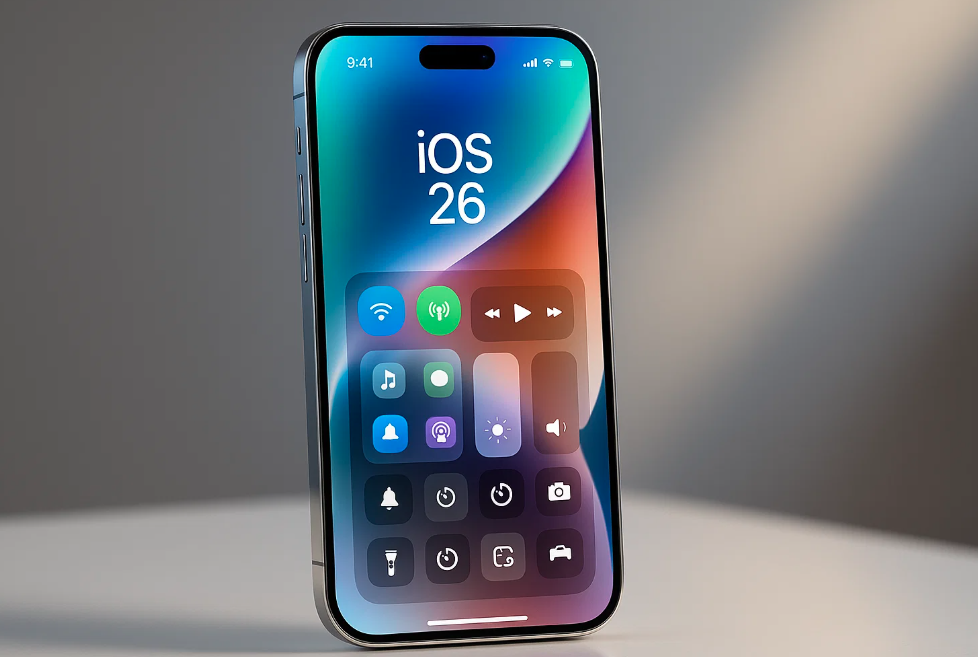
iOS 26 comes with a fresh look and several smart features. Apple has introduced a unique Liquid Glass design, offering interactive corner shades and bouncing liquid bubbles between app elements. The Control Center also gets an overhaul, though some users have complained about clarity issues due to less background blur.
One exciting feature is Apple Intelligence, Apple’s take on AI-powered tools that enhance everyday tasks on the iPhone. However, this feature will only be available on the iPhone 15 Pro, 15 Pro Max, and iPhone 16 series or newer models.
Users eager to try the new system can download the developer beta starting today, while the public beta will be available next month. The final stable version will roll out later this fall.
But here’s the catch – not all iPhones and iPads will support this latest upgrade.
List of iPhones Not Compatible with iOS 26
Apple has announced that many older iPhones will no longer receive the iOS 26 update. If you own any of the following models, you won’t be able to upgrade:
-
iPhone XS Max
-
iPhone XS
-
iPhone XR
-
iPhone X
-
iPhone 8 / 8 Plus
-
iPhone 7 / 7 Plus
-
iPhone 6s / 6s Plus
-
iPhone 6 / 6 Plus
-
iPhone SE (1st Gen)
-
iPhone 5s or earlier
If you’re using an iPhone 11 or older, you may have to upgrade your device soon to enjoy the latest iOS features and security updates.
iPads Not Compatible with iPadOS 26
Similarly, the following iPads will not support iPadOS 26:
-
iPad (1st to 7th generation)
-
iPad Mini (1st to 4th generation)
-
iPad Air (1st generation, Air 2)
-
iPad Pro 12.9″ (1st, 2nd generation)
-
iPad Pro 9.7″, 10.5″
This move by Apple encourages users to upgrade to newer devices to enjoy advanced features like Apple Intelligence.
Users React to iOS 26 Beta
While developers and early adopters are exploring the new system, reactions on social media have been mixed.
@badhanganesh tweeted:
“iOS 26 Beta is very buggy. So glitchy, so slow, runs hot even after no use. Control Centre performance is bad—needs more blur in the background!”
Another user, @photublogger, warned:
“My friend updated his iPhone 11 Pro Max to iOS 26, and now the camera app shows a line. Beta version is full of bugs—avoid if using your main phone!”
But not all feedback is negative. @RichieBoss1298 praised the new design:
“Appreciation post for iOS 26! Love the Liquid Glass effect and the playful bubbles. Apple took a bold step this time!”
Important Advice Before You Install iOS 26 Beta
If you’re tempted to try the iOS 26 developer beta, remember:
-
Back up your device before installing.
-
Avoid installing it on your primary iPhone, as the beta may contain serious bugs.
-
Expect performance issues until Apple rolls out stable updates later this year.